

- Loss of profit
- Loss of clients
- Negative impact on the brand
- Loss of internet resource performance
- Theft of intellectual property
- Compromise of confidential information
- Destruction of valuable resources
- Additional personnel and infrastructure costs
How to enable DDoS Protection
Basic protection
Basic protection is enabled by default for all servers. No action is required.ACL rules for Basic protection
Basic protection uses predefined ACL rules.- Reflection attacks: DNS, NTP, SSDP, MSSQL, LDAP, SNMP, CharGen, Memcache, Echo, RIP, ARMS
- Fake source IP attacks:
0/32,127.0.0.0/8,192.0.2.0/24,224.0.0.0/3,10.0.0.0/8,172.16.0.0/12,192.168.0.0/16 - Traffic below 200 Mbit/s per destination IP is not protected
What is null-routing
When Basic protection detects a DDoS attack, the system temporarily blocks the target IP address. This mechanism is known as null-routing.- Your server remains protected from attack traffic.
- However, it becomes unreachable from the internet.
- The blocking duration typically ranges from 1 to 24 hours.
Advanced protection
To enable Advanced protection, submit a request as described in the How to order section. Setup time is typically 1–3 business days after approval. Advanced protection offers two modes: always-on or on-demand.Advanced protection modes
With an on-demand mode, traffic passes through the TMS only during an attack. The system needs about a minute to identify a threat and redirect traffic to the TMS. During this first minute, a targeted server will receive attack traffic and then filtered traffic. With an always-on mode, your traffic passes through the TMS, even when there is no attack. This protection immediately responds to an attack and guarantees that only legitimate traffic will be sent to your server.| Feature | On-demand (Advanced protection) | Always-on (Advanced protection) | Basic protection |
|---|---|---|---|
| Pricing model | Paid | Paid | Free |
| Maximum time to recognize an attack | 2 minutes | 5 seconds | 3 minutes |
| Attacks it protects from | • Common amplification attacks • IP spoofing attacks • Attacks using flows or volumetric attacks (L3) • Attacks to establish connection (L4) | • Common amplification attacks • IP spoofing attacks • Attacks using flows or volumetric attacks (L3) • Attacks to establish a connection (L4) • Attacks at the application layer (L5-L7) | • Common amplification attacks • IP spoofing attacks |
| Protection technology | 1. The attack is detected. 2. Traffic is redirected to TMS. 3. TMS filters the traffic. 4. TMS sends legitimate traffic to the server. | 1. All traffic passes through TMS. 2. In case of an attack, TMS immediately filters the traffic. 3. TMS sends legitimate traffic to the server. | 1. Attack is detected. 2. The attacked IP is blocked for a while. |
| Use cases | • Your server is rarely attacked • Your server is not attacked at the application layer (L7) • Your server doesn’t host any critical business applications | • Your server is attacked more than 2-3 times a day • Your server is attacked at the application layer (L7) • Your server hosts a critical business application | • Your server is hardly ever attacked • Your server doesn’t host any critical business applications |
DDoS attack statistics
With the real-time DDoS attack statistics feature, you can access a live dashboard that provides a comprehensive overview of ongoing attacks on your protected resources. You can filter statistics by specific data centers, time intervals, and attack metrics such as bits per second (bps) and packets per second (pps.)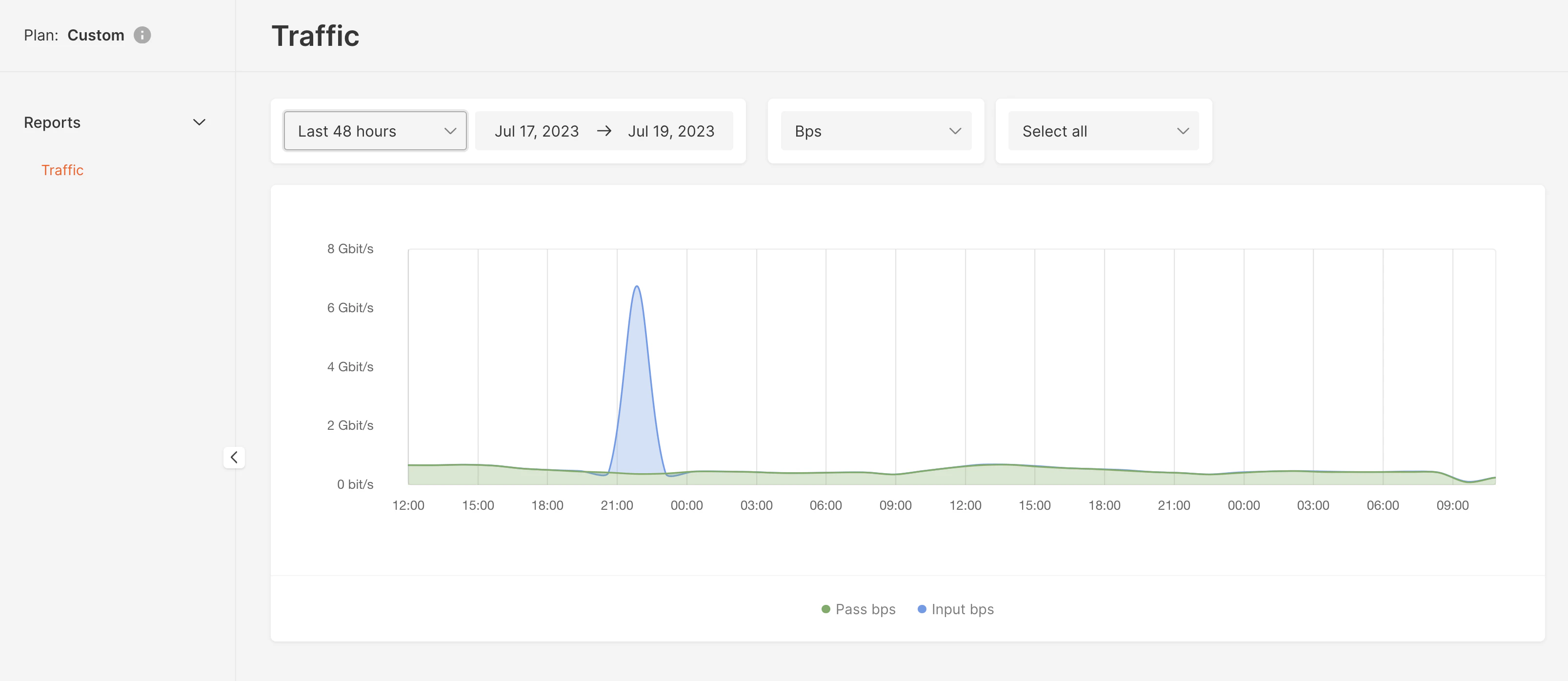
Pricing
The price for DDoS Protection depends on three factors:- OSI layers. Two options are available: L3-L4 and L3-L7. L3–L4 protection is more affordable.
- TMS bandwidth. The pricing varies based on the TMS’s bandwidth to send traffic to your server. Several options are available: 1 Mbit/s, 10 Mbit/s, 100 Mbit/s, 200 Mbit/s, 500 Mbit/s, 1 Gbit/s, 2 Gbit/s,10 Gbit/s. The lower the bandwidth, the lower the price.
- Server location. Prices vary from location to location. Please send a request, and we will advise you on the price for DDoS Protection in a particular data center.
- Always-on mode is available for L3–L7 protection
- On-demand mode is available only for L3–L4 protection